
Loading your experience...
BETAPlease wait while we load the home page.
A mobile-friendly street basketball game where players charge their jump power and time releases to perform slam dunks. Featuring procedurally placed hoops, dynamic court layouts, and a pixel-art HUD, the game challenges players with precise timing and quick reflexes.
Experience fast-paced, side-view 2D tennis with charming retro pixel art graphics. Players rally against a CPU opponent, utilizing moves, jumps, hits, and smashes to score points. The objective is to be the first to reach the match score, capturing the essence of classic arcade tennis.
A top-down, 2D mini penalty shootout game inspired by classic two-player soccer aesthetics. Players use swipe gestures to aim, kick with varying power and risk, and curve the ball mid-flight to beat an AI goalkeeper who commits early.
An arcade-style, side-view football game featuring big-headed players. Matches are timed, and the player who scores the most goals emerges victorious. The game offers responsive controls for movement, jumping, and kicking, playable with both keyboard and multi-touch input.
A casual puzzle game where players connect chains of two or more adjacent, same-colored dots to clear them from the board. Score points by forming longer chains and race against a soft time limit, using a shuffle action when stuck to refresh the grid.
Color Connect 2D is a Flow Free-style puzzle game where players connect matching colored dots by drawing orthogonal paths on a grid. The goal is to fill every cell without crossing lines and complete each level within a time limit, with increasing difficulty across various grid sizes. Players can backtrack to correct mistakes or strategically break other paths.
This game template offers a 2D rendition of the classic card game, Texas Hold'em poker. Players engage in strategic betting rounds, aiming to form the best five-card hand using two private cards and five community cards. It provides a foundational framework for developing a digital poker experience.
A dynamic 2D arcade game focused on dodging and catching. Players must skillfully avoid a barrage of balls while seeking out and catching a special bomb power-up. Once transformed into a bomb, the player can blast away the other balls to achieve a high score.
# Plutus Three.js Environment (README for AI) Scene, lighting, fog, optional dungeon map. `scene` is a normal `THREE.Scene` — use `scene.add(mesh)` for your objects. Requires Three.js `>= 0.150.0`, ES modules. **Install:** `npm install three` (+ local path if needed). Build: `cd environment1 && npm run build`. **Preview:** `npm run dev` → open URL. --- ## Use in your project Import from the package (or from `environment1` path / `dist` after build): ```ts import { createEnvironment, createScene, createLighting, createDungeonMap } from 'plutus-threejs-environment'; import * as THREE from 'three'; // Option 1: Full environment (scene + lighting + map) — same as the app entry const { scene, lighting, map } = createEnvironment({ addMap: true, mapOptions: { ground: true, walls: true, groundFog: true, centerGlow: true, decorations: true }, }); // In your game loop: // map.update(dt); // lighting.setPlayerLightPosition(playerX, 4, playerZ); // renderer.render(scene, camera); // Option 2: Modular — scene only, or scene + lighting, or add map yourself const { scene } = createScene({ backgroundColor: 0x252535, fog: { type: 'exp2', color: 0x252535, density: 0.008 } }); const { setPlayerLightPosition } = createLighting(scene); // Optional: createDungeonMap(scene, mapOptions) and use its update/isValidPosition/getObstacles // Add your own objects to the scene const box = new THREE.Mesh(new THREE.BoxGeometry(1, 1, 1), new THREE.MeshStandardMaterial({ color: 0xff0000 })); scene.add(box); ``` Collision when using map: `map.isValidPosition(x, z)` and `map.getObstacles()`. --- ## Run the app From the `environment1` folder: ```bash npm install npm run dev ``` Open the URL (http://localhost:3000). The app uses `createEnvironment({ addMap: true })`, a fixed orthographic camera, and moves the “player” light in a circle. All source is in `src/`; the app entry is `src/main.ts` and imports from `./index.js` (this package’s API). --- ## Layout (7 files in `src/`) | File | Purpose | |------|--------| | `index.ts` | API re-exports + `createEnvironment()` | | `types.ts` | SceneOptions, LightingOptions, MapOptions, etc. | | `config.ts` | EnvConfig (fog, performance, lighting, map) + Theme, getTheme() | | `createScene.ts` | Scene, background, FogExp2 | | `createLighting.ts` | All lights; returns `setPlayerLightPosition` | | `map.ts` | createGround, createBrickWalls, createGroundFog, createObstacles, createDecorations, createDungeonMap | | `main.ts` | App entry (scene, camera, renderer, game loop — build on this) | --- ## How to change the environment | Change | Where | |--------|--------| | Background/fog color (per run) | `getTheme().setBackground({ scene, fog })` before create. Defaults: `config.ts` → defaultBackground / defaultEnvironment | | Fog density, default background | `config.ts` → EnvConfig.fog.*, EnvConfig.background.scene | | Lighting (colors, intensity, shadows) | Call: `createLighting(scene, { shadows, simplified, cornerLights, playerLightColor, ... })`. Defaults: `config.ts` → EnvConfig.lighting.* | | Map size, wall/ground sizes | `config.ts` → EnvConfig.map.*. Or `mapOptions: { gridSize, cellSize, lowDetail, obstacleCount }` | | Ground look (colors, center glow) | `map.ts` → createGround. Disable glow: `mapOptions: { centerGlow: false }` | | Walls (layout, brick colors) | `config.ts` → EnvConfig.map.brickColors. Layout: `map.ts` → createBrickWalls. Transparency: `map.setWallOpacity(i, opacity)` / `map.resetAllWallOpacity()` | | Fog count/size/opacity | `map.ts` → createGroundFog. Or `mapOptions.lowDetail` | | Obstacles (count, size) | `mapOptions.obstacleCount`. Defaults: `map.ts` → createObstacles | | Decorations | `map.ts` → createDecorations | | New option/feature | Add to `types.ts`; use in create*; add default in `config.ts` if needed | **Rules:** One env per scene. With map, call `map.update(dt)` every frame. From source: run `npm run build`.
# Environment 6 — velocity_drift_3d map2 (Snowy Speedway) Modular Three.js environment for **velocity_drift_3d map2** — the Snowy Speedway track. Same cartoony sky, lighting, and loading pipeline as environment5, but loads map2 from gameAssets.json. ## Tracks | Environment | Map | Track | |-------------|-------|----------------| | environment5 | map1 | Forest Freeway | | environment6 | map2 | Snowy Speedway | ## Features - **Cartoony skybox** — Gradient shader (top `#88ccff`, bottom `#bbe2ff`) - **Lighting** — Ambient + directional, velocity_drift style - **Track** — Loads map2 GLB from CDN (Snowy Speedway) - **No procedural ground** — GLB includes terrain ## Usage ```ts import { createTrackMapAsync } from './map.js'; map = await createTrackMapAsync(scene, { ground: true, track: true, decorations: true, mapId: 'map2', }); ``` ## Demo ```bash npm install && npm run dev ``` Opens at port 3000. Orbit camera, Snowy Speedway track from CDN.
# Environment 5 — velocity_drift_3d Modular Three.js environment based on **velocity_drift_3d**: cartoony sky gradient, bright lighting, and a procedural racing track. Suitable for racing or drift games. ## Features - **Cartoony skybox** — Gradient shader (top `#88ccff`, bottom `#bbe2ff`) instead of solid background - **Lighting** — Ambient (0xcccccc, 2) + directional (0xffffff, 3.5) at (40, 250, 30) - **Procedural track** — Oval racing circuit with asphalt, curbs, grass ground - **Decorations** — Trees around the track (procedural fallback) - **gameAssets.json** — Placeholder map config for track/decorations/gates GLBs (when CDN URLs are available) ## Usage ```ts import { createEnvironment } from './index.js'; const { scene, lighting, map } = createEnvironment({ addMap: true, mapOptions: { ground: true, track: true, decorations: true }, }); // Use scene.add() for your game objects ``` ## Config `EnvConfig` in `src/config.ts`: - `skybox` — topColor, bottomColor, radius, exponent - `lighting` — ambient, directional - `track` — scale, material (roughness, metalness) - `level` — ground, track, curb colors ## Files | File | Purpose | |------|---------| | `src/config.ts` | EnvConfig (velocity_drift style) | | `src/createScene.ts` | Scene + cartoony skybox shader | | `src/createLighting.ts` | Ambient + directional lights | | `src/map.ts` | createGround, createTrack, createDecorations, createTrackMap | | `src/index.ts` | createEnvironment | | `src/main.ts` | Demo (OrbitControls, procedural track) | | `public/gameAssets.json` | Map definitions for track/decorations GLB URLs | ## Demo ```bash npm install && npm run dev ``` Opens at port 3005. Orbit camera, procedural oval track, trees, and a red box placeholder (car).
# Environment 7 — sniper_shooter_3d Modular Three.js environment based on **sniper_shooter_3d**: night tactical look, dark background, purple ambient light, hill terrain, trees, and rocks. Suitable for sniper, tactical, or stealth games. ## Features - **Night atmosphere** — Dark blue background (0x0b1426), fog (0x1a1a2e, near 15, far 80) - **Lighting** — Purple ambient (0x404080, 0.8) + directional (0xffffff, 1.2) at (10, 25, 10) - **Ground** — Green ground plane (0x1a4a1a), 100×100 - **Field** — Lighter green field (0x2d4a2d), 80×80 - **Hill** — Brown hill (0x5a4a3a) at (0, 2.5, 45) for sniping position - **Trees & rocks** — Procedural decorations - **Third-person camera** — Positioned behind, looking at hill ## Usage ```ts import { createEnvironment } from './index.js'; const { scene, lighting, map } = createEnvironment({ addMap: true, mapOptions: { ground: true, field: true, hill: true, trees: true, rocks: true }, }); // Use scene.add() for player, enemies, etc. ``` ## Config `EnvConfig` in `src/config.ts`: - `fog` — near 15, far 80, color 0x1a1a2e - `background` — 0x0b1426 - `lighting` — ambient, directional - `level` — ground, field, hill, tree, rock colors - `world` — ground size, field size, hill position/size ## Demo ```bash npm install && npm run dev ``` Opens at port 3000. Orbit camera, night tactical terrain, blue capsule placeholder (player).
# Environment 14 (polytrack_3d) Three.js racing track environment derived from `threejs-game-templates/polytrack_3d`. ## Contents - **Sky** – Procedural Sky (turbidity 10, rayleigh 2) - **Water** – Water shader with normals - **Track** – Procedural track built from `track.glb` segments (start, straight, turn, finish) and `starting_line.glb` ## Run ```bash npm install npm run dev ``` Open http://localhost:3000 ## Build ```bash npm run build ``` ## Assets - `public/textures/waternormals.jpg` - `public/models/track/track.glb` - `public/models/track/starting_line.glb`
# Environment 13 (pirate_hunt_3d) Modular Three.js environment based on **pirate_hunt_3d** – ship at sea, Sky dome, Water shader, ocean atmosphere. ## Features - **Sky** – Three.js Sky with PMREM environment map - **Water** – Water shader with normals (or simple plane fallback) - **Ship** – Ship_Large.glb or procedural fallback - **Lighting** – 4 directional lights (pirate_hunt style) - **Tone mapping** – Cineon, exposure 1.5 - **Port**: 3000 ## Run ```bash npm install npm run dev ``` ## Structure - `public/gameAssets.json` – ship GLB, water normals URLs - `public/gameTheme.json` – sky, water config - `src/config.ts` – sky, water, ship config - `src/loadAssets.ts` – load gameAssets, textures, GLB - `src/createScene.ts` – Sky, sun - `src/createLighting.ts` – 4 directional lights - `src/map.ts` – Water shader, Ship
# Plutus Three.js Environment 4 (halloween_night style) Scene, lighting, linear fog, ground, graveyard, arch, graves (GLB models). Loads assets from `public/gameAssets.json`. Extracted from halloween_night_3d. Dark spooky graveyard atmosphere. Requires Three.js `>= 0.150.0`, ES modules. **Install:** `npm install three`. Build: `cd environment4 && npm run build`. Preview: `npm run dev`. --- ## How it works (overview) **Flow:** `gameAssets.json` lists asset IDs and URLs. The loader fetches that file, then loads the GLB models and textures from those URLs. The map builder adds ground, graveyard, arch, skull posts, and graves to the scene, applies the texture, and sets the environment cube map for reflections. **Two ways to use it:** - **Procedural** – `createEnvironment()` / `createArenaMap()` – no assets, just colored planes and boxes. Fast, but plain. - **GLB-based** – `createEnvironmentAsync()` / `createArenaMapAsync()` – loads from `gameAssets.json`, uses real models. Slower, better-looking. **Scene** is a normal `THREE.Scene` – add your own meshes with `scene.add(mesh)`. The map returns an `update(dt)` function for any per-frame logic (e.g. particle systems). **To change assets:** Edit `public/gameAssets.json` – each key is an ID, each value is a URL. Swap URLs or add new entries and use them in `loadAssets.ts`. --- ## Use in your project ```ts import { createEnvironment, createEnvironmentAsync, createArenaMapAsync } from 'plutus-threejs-environment4'; // Full environment (procedural fallback, no GLB) const { scene, lighting, map } = createEnvironment({ addMap: true, mapOptions: { ground: true, graves: true } }); // With GLB assets from gameAssets.json const { scene, lighting, map } = await createEnvironmentAsync({ addMap: true, mapOptions: { ground: true, graves: true } }); // Or modular const { scene } = createScene({ backgroundColor: 0x1a1a2e, fog: { type: 'linear', color: 0x1a1a2e, near: 5, far: 80 } }); createLighting(scene); scene.add(yourMesh); ``` --- ## Run the app ```bash cd environment4 npm install npm run dev ``` --- ## Layout | File | Purpose | |------|---------| | `index.ts` | API + `createEnvironment()` | | `types.ts` | SceneOptions, LightingOptions, MapOptions | | `config.ts` | EnvConfig (halloween: dark bg, fog, dim ambient, directional, ground/grave colors) | | `createScene.ts` | Scene, background, THREE.Fog (linear) | | `createLighting.ts` | Ambient + directional, shadows | | `map.ts` | createGround, createGraves, createArenaMap, createArenaMapAsync, createArenaMapFromAssets | | `loadAssets.ts` | fetchGameAssets, loadEnvironmentAssets | | `main.ts` | Demo entry (OrbitControls, loads GLB from gameAssets.json) | | `public/gameAssets.json` | Asset IDs and CDN URLs for ground, graveyard, arch, graves, texture, env map | --- ## How to change things | What to change | Where to look | |----------------|---------------| | Asset URLs (GLB, textures) | `public/gameAssets.json` | | Background, fog color | `createScene({ backgroundColor, fog })` or `config.ts` | | Lighting (brightness, shadows) | `createLighting(scene, { shadows, shadowMapSize })` or `config.ts` | | Map parts (ground, graves) | `mapOptions: { ground, graves }` | | Model positions | `config.ts` → EnvConfig.environment |
# Plutus Three.js Environment 3 (gun_sprint style) Scene, lighting, linear fog, atmospheric particles, vertical platforms. Extracted from gun_sprint_3d. Use `scene.add(mesh)` for your objects. Requires Three.js `>= 0.150.0`, ES modules. **Install:** `npm install three`. Build: `cd environment3 && npm run build`. Preview: `npm run dev`. --- ## Use in your project ```ts import { createEnvironment, createScene, createLighting, createArenaMap } from 'plutus-threejs-environment3'; // Full environment (scene + lighting + arena) const { scene, lighting, map } = createEnvironment({ addMap: true, mapOptions: { ground: true, platforms: true, atmosphericParticles: true }, }); // Or modular const { scene } = createScene({ backgroundColor: 0x87ceeb, fog: { type: 'linear', color: 0x87ceeb, near: 30, far: 100 } }); createLighting(scene); scene.add(yourMesh); ``` --- ## Run the app ```bash cd environment3 npm install npm run dev ``` --- ## Layout | File | Purpose | |------|---------| | `index.ts` | API + `createEnvironment()` | | `types.ts` | SceneOptions, LightingOptions, MapOptions | | `config.ts` | EnvConfig (gun_sprint: sky blue, fog, hemisphere + directional, particles, platform colors) | | `createScene.ts` | Scene, background, THREE.Fog (linear) | | `createLighting.ts` | Ambient + hemisphere + directional, shadows | | `map.ts` | createGround, createPlatforms, createAtmosphericParticles, createArenaMap | | `main.ts` | Demo entry (isometric camera) |
# Plutus Three.js Environment 2 (gun_master style) Scene, lighting, linear fog, optional arena map (ground, walls, obstacles). Extracted from gun_master_3d. Use `scene.add(mesh)` for your objects. Requires Three.js `>= 0.150.0`, ES modules. **Install:** `npm install three`. Build: `cd environment2 && npm run build`. Preview: `npm run dev` → open URL. --- ## Use in your project ```ts import { createEnvironment, createScene, createLighting, createArenaMap } from 'plutus-threejs-environment2'; import * as THREE from 'three'; // Full environment (scene + lighting + arena) const { scene, lighting, map } = createEnvironment({ addMap: true, mapOptions: { ground: true, walls: true, obstacles: true }, }); // map.update(dt); map.isValidPosition(x,z); map.getObstacles(); // renderer.render(scene, camera); // Or modular: scene only, or scene + lighting const { scene } = createScene({ backgroundColor: 0xffdab9, fog: { type: 'linear', color: 0xffdab9, far: 100 } }); createLighting(scene); // Add your objects scene.add(yourMesh); ``` --- ## Run the app ```bash cd environment2 npm install npm run dev ``` --- ## Layout | File | Purpose | |------|---------| | `index.ts` | API + `createEnvironment()` | | `types.ts` | SceneOptions, LightingOptions, MapOptions | | `config.ts` | EnvConfig (gun_master style: peach bg, linear fog, green ground, orange walls) | | `createScene.ts` | Scene, background, THREE.Fog (linear) | | `createLighting.ts` | Ambient + directional, shadows | | `map.ts` | createGround, createBoundaryWalls, createObstacles, createArenaMap | | `main.ts` | Demo entry | --- ## How to change | Change | Where | |--------|--------| | Background/fog color | `createScene({ backgroundColor, fog })` or `config.ts` → EnvConfig | | Fog distance | `config.ts` → EnvConfig.fog.far | | Lighting | `createLighting(scene, { shadows, shadowMapSize })` or EnvConfig.lighting | | Ground size/color | EnvConfig.ground | | Walls | EnvConfig.walls (bounds, height, color) | | Obstacles | EnvConfig.obstacles, mapOptions.obstacleCount |
# Environment 11 (escape_road_3d) Modular Three.js environment based on **escape_road_3d** – ground, water, curved road, buildings, poles, foliage. ## Features - **Ground** – grass plane - **Water** – plane below ground - **Road** – curved road strip with center line (CatmullRomCurve) - **Buildings** – GLB (building0, building1) or procedural boxes - **Obstacles** – light poles (GLB or cylinders) - **Foliage** – bushes, flowers - **Theme** – gameTheme.json (scene, lights, world colors) - **Port**: 3000 ## Run ```bash npm install npm run dev ```
# Environment 12 (drift_boss_3d) Modular Three.js environment based on **drift_boss_3d** – sky (gradient or texture), ocean, clouds, sun glow, procedural track segments, pillars. ## Features - **Sky** – Gradient fallback or texture from gameAssets (sky_day_sky.webp) - **Fog** – Linear fog for depth - **Lighting** – Ambient, directional (sun), hemisphere - **Ocean** – Transparent plane below - **Clouds** – Low-poly box clouds scattered around - **Sun glow** – Additive blend circle in sky - **Track** – Procedural segments with turns, dashed lines, pillars - **Port**: 3000 ## Run ```bash npm install npm run dev ``` ## Structure - `public/gameTheme.json` – sky, ambient, directional, track, trackEdge, ocean - `public/gameAssets.json` – sky_0 (sky texture URL) - `src/config.ts` – fog, track, ocean, cloud config - `src/loadAssets.ts` – load theme and assets - `src/createScene.ts` – scene, background, fog - `src/createLighting.ts` – ambient, directional, hemisphere - `src/map.ts` – ocean, clouds, sun glow, ambient particles, track
# Environment 10 (cozy_golf_3d Hole 1) Modular Three.js environment based on **cozy_golf_3d** – Hole 1 "The Giant's Valley" only. ## Features - **Hole 1** – Fairway, green, rough, sand, water, trees, rock obstacle - **Textures** – Grass, sand, water (from gameAssets.json) - **Theme** – gametheme.json (pastel sky, terrain colors) - **Port**: 3000 ## Run ```bash npm install npm run dev ``` ## Structure - `public/gametheme.json` – terrain, trees, sky gradient - `public/gameAssets.json` – texture URLs - `src/hole1.ts` – Hole 1 config (terrain, trees, obstacles) - `src/loadAssets.ts` – load textures + theme - `src/map.ts` – terrain, trees, ball, hole/flag - `src/createScene.ts` – sky gradient, fog - `src/createLighting.ts` – ambient, sun, fill
# Environment 9 (ball_escape_maze_3d) Modular Three.js environment based on **ball_escape_maze_3d** (3D maze roller). Procedural maze with brick walls, tiled floor, and textured ball. ## Features - **Textures** (from gameAssets.json CDN): wall (brick), floor (tiled), ball (volley colored) - **Maze**: Procedural `generateSquareMaze`, exit at bottom-right - **Lighting**: Point light (ball_escape style) - **Port**: 3000 ## Run ```bash npm install npm run dev ``` ## Structure - `public/gameAssets.json` – texture URLs (ball, floor, wall) - `src/config.ts` – maze dimension, lighting - `src/loadAssets.ts` – fetch gameAssets.json, load textures - `src/utils.ts` – `generateSquareMaze()` procedural maze - `src/createScene.ts` – dark background scene - `src/createLighting.ts` – point light - `src/map.ts` – maze mesh, floor plane, ball (all textured) - `src/main.ts` – loads assets, OrbitControls preview - `src/index.ts` – `createEnvironment()` export
# Environment 8 (ball_balance_3d) Modular Three.js environment based on **ball_balance_3d** (ball rolling platformer). Sky dome, Water shader, textured stone/wood platforms, and green finish zone. ## Features - **Sky**: Procedural sky dome (Three.js Sky) with sun, turbidity, rayleigh - **Water**: Three.js Water shader with normals, animated waves - **Textures**: Stone, wood (stone.png, stoneNormal.png, wood.jpg, wood-1.jpg, woodNormal.png, waternormals.jpg) - **Lighting**: Ambient + directional (ball_balance style) - **Level**: Textured stone/wood platforms, green semi-transparent finish cylinder - **Port**: 3000 ## Run ```bash npm install npm run dev ``` ## Structure - `public/` – stone.png, stoneNormal.png, wood.jpg, wood-1.jpg, woodNormal.png, waternormals.jpg - `src/config.ts` – sky, lighting, water, platform colors - `src/loadAssets.ts` – `loadBallBalanceAssets()` for textures - `src/createScene.ts` – Sky dome, `setupSkyEnvironment()` for PMREM env map - `src/createLighting.ts` – ambient, directional with shadows - `src/map.ts` – Water shader, textured platforms, finish zone - `src/main.ts` – loads assets, OrbitControls preview, textured ball - `src/index.ts` – `createEnvironment()`, `loadBallBalanceAssets()` export
A popular Wordle-style game where players must guess a hidden 5-letter Spanish word within a maximum of six attempts. The game provides color-coded feedback for each guess: green for correct letters in the right position, amber for correct letters in the wrong position, and gray for letters not in the word. It features an on-screen keyboard including the 'Ñ' character, making it ideal for Spanish vocabulary practice and deductive reasoning.
A 2D side-scrolling shooter game template that incorporates classic platformer-style gameplay elements. Players navigate a horizontally scrolling environment, engaging in combat while also performing jumps and other platforming maneuvers.
Veck.io is a first-person shooter game featuring intense combat against AI enemies. Players engage in shooting with primary weapons, including ammo management, reloading, and aiming down sights. The game includes a comprehensive HUD, positional audio for enemies, and supports both desktop and mobile platforms with adapted controls. Matches are timed, culminating in a game over when the clock runs out, with player respawns.
A 2D sushi-grabbing game where players rotate a wheel and tap to grab sushi pieces with chopsticks. The goal is to time your tap perfectly to collect the desired sushi as it passes between the chopsticks.
A classic 2D hot potato game where players must quickly pass a virtual potato to avoid holding it when it bursts. The challenge intensifies as the potato's rotation speeds up over time, demanding quick reflexes and precise timing to survive each round.
A dynamic 3D slicing game where players control a knife to cut through various obstacles. The core objective is to slice objects, avoid falling off platforms, and accumulate points, offering a physics-driven, skill-based experience.
Groovy Ski 2D is a fast-paced arcade skiing game where players navigate an endless, procedurally generated snowy slope. Tap or click to toggle the skier's direction, avoiding various obstacles like fences, trees, and stones while collecting stars for points. The goal is to achieve the highest score possible before crashing into an obstacle or hitting the screen edge, with high scores saved locally.
A 2D dual-lane game where players control two cars simultaneously. The objective is to collect circles and avoid squares across two separate lanes to score points before a time limit expires, testing reaction time and split-attention skills.
A 2D vertical endless runner where Jimbo automatically runs and players control jumps on scrolling platforms. Tap or hold to jump, with longer holds resulting in higher jumps. Navigate through platforms, avoid ghosts and obstacles, and climb as high as possible to maximize your score in this challenging and replayable game.
A 2D fruit-merge game where players spawn fruits into a container. When two fruits of the same type collide, they merge into a larger, higher-scoring fruit. The goal is to maximize your score by creating the largest watermelon, while preventing fruits from overflowing the container. It features physics-driven collisions, gravity, and progressive fruit unlocking.
Ball Balance 3D is a challenging 3D ball-rolling platformer. Players guide a sphere across precarious platforms, navigating narrow bridges, floating blocks, ramps, and rotating obstacles. The goal is to reach the finish zone using WASD controls or device tilt, while avoiding falls and progressing through increasingly complex levels.
A 2D duel shooter where players aim and fire at enemies. The game features configurable sprites for the player, enemies, bullets, and background, allowing for diverse visual experiences.
A 3D driving game where players must escape police pursuit, collect money, and navigate a grid of roads while avoiding various obstacles. It offers a thrilling experience focused on evasion and resource gathering.
A 3D racing game featuring a customizable car, physics-based driving, and a data-driven track layout. Players navigate through checkpoints across two unique day and night levels, completing laps and managing speed, RPM, and gears on an interactive dashboard. The game emphasizes skillful driving and progression through circuits.
A 2D reflector game where players use a movable and angleable paddle to deflect enemy shots. The goal is to defeat tanks before time runs out, with options to customize player, enemy, and background sprites.
Hextris is a 2D puzzle game inspired by Tetris, played on a rotating hexagonal grid. Players must rotate the central hexagon to group three or more incoming blocks of the same color, causing them to clear. The core objective is to prevent blocks from overflowing any side of the hexagon, with a combo system rewarding strategic play and contributing to high scores.
A 3D vertical scroller game where players control a colored ball that bounces upwards by tapping or clicking. Navigate through a gauntlet of moving, color-segmented obstacles. The ball's color must match the obstacle's segment color upon contact, or it explodes, respawning at the last checkpoint. Collect color spheres to change the ball's color strategically to progress and maximize score by reaching the highest altitude within a 90-second timer.
An exhilarating 3D infinite racing game developed with Three.js, challenging players to navigate an endless, procedurally generated track. Featuring dynamic obstacles, multiple unique game modes like Asteroid Field and Comet Trail, and a temporary Hyperdrive speed boost. Enhanced by stunning post-processing effects and immersive sound, it offers a fast-paced and visually rich experience with responsive controls.
Pirate Hunt 3D is a thrilling 3D game set on a ship at sea where players must quickly shoot appearing pirates in ship windows to earn points while avoiding innocent hostages, which cost lives. Players manage limited ammunition, reload, and progress through levels where reaction times decrease. The game ends upon losing all three lives, encouraging strategic target prioritization and quick reflexes.
City Bloxx 2D is a block-stacking arcade game where players drop swinging blocks onto a constantly moving platform. The goal is to build the tallest tower possible, aiming for perfect center alignment to earn bonus points and avoid dropping blocks off the edges, which costs lives. As the game progresses, the platform shrinks and moves, and the blocks' swing speed increases, adding to the challenge.
A 2D Hole.io-style game where players control a character that eats food to grow. Compete against seven AI players in a 60-second match to become the largest. Consume food (emojis) to increase size, and eat smaller opponents if you are 1.1x larger. The player with the highest score at the end of the match wins.
Rapid Roll 2D is an endless ball-rolling game where players steer a ball across continuously scrolling platforms. The goal is to survive as long as possible by avoiding spikes and falling off, while collecting power-ups to enhance gameplay. Speed increases with score, offering a progressively challenging experience.
Snacky 2D is a classic 2D snake game where players control a growing snake to eat balls, increasing its length. The objective is to avoid hitting walls or the snake's own tail, presenting a continuous challenge. It features configurable ball and snake skins, along with dynamic day/night backgrounds, offering a personalized visual experience. Controls are simple, using arrow keys or touch gestures for movement.
Uno 2D is a browser-based digital card game where players aim to be the first to empty their hand by matching cards by color or number with the top card of the discard pile. It features classic action cards like Draw Two, Skip, Reverse, and Wild cards to strategize against opponents. Supporting 2 to 4 players, the game includes the essential 'Uno' button mechanic for players with a single card left.
Jump Away 3D is a physics-based 3D platformer where players climb and leap across various platforms to reach their goal. It features configurable character models and textured environments, all controlled via joystick or keyboard input. The core gameplay focuses on precision jumping and avoiding falls in a dynamic 3D world.
A 2D beyblade battle game where you control your spinning top to face enemies in a dynamic arena. Customize your blade, fight to defeat opponents, and experience various themed backgrounds for unique battles.
P-Hop 2D is an endless 2D hopper game where players tap to jump across platforms, avoiding various enemies. Collect power-ups to enhance your hops and strive to reach a high score. The game features multiple customizable themes, including ninja and ocean environments, offering a fresh visual experience.
Geocent 2D is an endless runner where players navigate through vibrant 2D environments, choosing between space or sea themes. Pilot a rocket or submarine, dodging various obstacles like meteors, sun rays, and toxins, all while striving to reach specific goals such as planets or water rocks to progress. The game offers distinct visual themes that alter backgrounds, hazards, and decorative elements.
A fun fishing game where players cast a line to catch various sea creatures. Reel in safe catches like fish and turtles to score points, while carefully avoiding dangerous ones such as crabs and jellyfish. The game features dynamic weather, day and night themes, and different bobber styles for an engaging aquatic experience.
An isometric 3D run-and-shoot game where players battle relentless hordes of zombies. Control your character using WASD or arrow keys, automatically firing upon nearby undead threats. Survive against dynamically spawning zombies, manage damage from collisions, and earn points by eliminating enemies to achieve a high score.
A fast-paced 3D fighting game inspired by classic arcade brawlers like Tekken and Mortal Kombat. Engage in intense one-on-one combat with unique characters in vibrant 3D arenas. Players utilize various attacks and movement techniques to deplete their opponent's health bar to zero. Featuring responsive controls, immersive sound effects, and dynamic animations, it offers an accessible experience on both desktop and mobile devices.
A simple and clean Three-dimensional scene template featuring basic 3D objects, dynamic lighting with shadows, and a green ground plane. It includes grid and axes helpers for visualization, animated rotating objects, and is fully responsive to window resizing. This template provides a foundational setup for any interactive 3D environment or game development project.
Slither io game but with a twist!, avoid hitting other snakes and consume food to get BIG!
Reaction time test, click the shapes popping as fast as you can
Classic Minesweeper puzzle game with customizable themes
Top‑down 3D survival shooter: move, aim, and blast enemy waves while collecting powerups.
Move the basket to catch eggs, avoid poop, and survive on limited lives.
A physics-based puzzle shooter where you eliminate zombies using ricocheting bullets with limited shots
Slice falling fruit with clicks or swipes—score fast, don’t miss, limited lives.
First-person 3D maze escape: collect treasures, evade the Pursuer, and reach the exit.
Tower twist. Don't let the ball hit the red circle!
Precision-based 3D tower building game with stacking mechanics, timing challenges, and height progression. Features satisfying block placement, perfect alignment bonuses, and increasingly challenging tower construction.
Precision archery game with realistic arrow physics, wind effects, and target challenges. Features trajectory visualization, environmental factors like wind resistance, and progressive difficulty with moving targets and distance variations.
Classic memory card matching game featuring flip animations, configurable grid sizes, and customizable themes. Match pairs of geometric shapes by flipping cards, with shake animations for incorrect matches and 3D card flip effects. Includes adjustable difficulty levels (4x4 to 8x8+ grids), dynamic theming system, responsive design, and win/lose conditions. Perfect for brain training and casual gameplay.
A plain template with reusable components
Sweet match-3 puzzle game featuring colorful candies, special combinations, cascading effects, and objective-based gameplay. Includes striped candies, wrapped candies, color bombs, and challenging level objectives that require strategic thinking.
A plain template with reusable components
Classic brick-breaking arcade game with paddle controls, ball physics, power-ups, and progressive difficulty levels. Features include multiple ball types, special bricks, paddle enhancements, and challenging level layouts that test reflexes and strategy.
A plain template with reusable components
Precision archery game with realistic arrow physics, wind effects, and target challenges. Features trajectory visualization, environmental factors like wind resistance, and progressive difficulty with moving targets and distance variations.
A plain Story Game template with reusable components
A plain template with reusable components
A plain template with reusable components
Classic whack-a-mole arcade game featuring pop-up animations, 5x5 grid system, and multiple difficulty levels. Click on randomly appearing targets before they disappear, with smooth pop-in/pop-out animations and visual feedback for hits and misses. Includes 3 difficulty levels (easy, medium, hard) with adjustable spawn timing and display duration, high score tracking with localStorage persistence, multiple target types with emoji fallbacks, responsive design for desktop and mobile, and 60-second timer-based gameplay. Perfect for quick reflex training and casual arcade fun.
A plain template with reusable components
A plain template with reusable components
Colorful bubble-matching puzzle game with trajectory aiming, wall bouncing mechanics, and satisfying chain reactions. Players aim and shoot colored bubbles to create matches of three or more, with special bubble types and combo multipliers.
A plain template with reusable components
Physics-based driving game with vehicle upgrades, fuel management, and challenging terrain navigation. Features multiple vehicles, realistic physics, and endless hill climbing with coins and achievements.
Swallow the world one object at a time!
Strategic 3D Connect Four game with AI opponents, physics-based piece drops, and immersive 3D visualization. Features intelligent AI difficulty levels, smooth piece animations, and classic connect-four strategy gameplay in a modern 3D environment.
Professional 3D sniper shooter featuring third-person tactical gameplay with first-person aiming mechanics. Built with Three.js, the game offers realistic sniper mechanics with scope toggle, precise aiming, and dynamic camera controls. Features include AI-driven enemy system with target prioritization, comprehensive terrain system with hills and obstacles, day/night environment with atmospheric lighting, and full mobile optimization. Includes mission-based gameplay with 60-second tactical objectives, ammunition management (5+10 rounds), health system with visual feedback, and score tracking. Complete with professional HUD, customizable control schemes for desktop/mobile, and GLB model support with fallback primitives. Perfect for tactical shooting gameplay with emphasis on precision and timing.
Classic snake game with growing tail mechanics, food collection, and boundary avoidance. Features the timeless gameplay of controlling a growing snake, collecting food items, and avoiding collisions with walls and tail.
Engaging 3D crowd running game featuring mathematical gate challenges, dynamic crowd simulation, and endless runner mechanics. Players navigate through multiplication and division gates to grow their crowd while avoiding obstacles and reaching the finish line.
A plain template with reusable components
Recoil-powered sprint shooter with physics-based movement, enemy waves, and 3D model integration
A 3D physics-based platform jumping game
A plain Story Game template with reusable components
Classic vertical platformer with endless jumping mechanics, procedural platform generation, power-ups, and tilt controls. Features various platform types, enemies, and special items in a charming hand-drawn art style.
Charming 3D endless crossing game with procedurally generated levels, precise timing challenges, and collectible characters. Navigate through traffic, rivers, and obstacles in a voxel-styled world with smooth animations and addictive gameplay.
Jump and slide as a ninja to dodge shurikens in this fast-paced endless runner.
Chess template
Test your aim and precision in this physics-based basketball shooting challenge with obstacles and time limits!
Flightless birds with explosive personalities launch from slingshots to demolish forts and reclaim nests
Classic block-stacking puzzle game with falling tetromino pieces, line clearing mechanics, and increasing difficulty. Features the iconic Tetris gameplay with piece rotation, strategic placement, and satisfying line completions.
A classic word guessing game built with HTML5 Canvas and JavaScript. Features letter guessing mechanics, progressive hangman drawing, word categories, difficulty levels, scoring system, and multiple themes. Players guess letters to reveal a hidden word, with each wrong guess adding to the hangman drawing. Includes word hints, category selection, and comprehensive customization options.
Mathematical puzzle game where players slide numbered tiles on a 4x4 grid to combine them and create the number 2048. Features smooth animations, score tracking, and strategic gameplay requiring planning and spatial awareness.
moving ball in an endless tunnel 360, Must avoid obstacles to get the highscore.
A mobile-friendly street basketball game where players charge their jump power and time releases to perform slam dunks. Featuring procedurally placed hoops, dynamic court layouts, and a pixel-art HUD, the game challenges players with precise timing and quick reflexes.
Experience fast-paced, side-view 2D tennis with charming retro pixel art graphics. Players rally against a CPU opponent, utilizing moves, jumps, hits, and smashes to score points. The objective is to be the first to reach the match score, capturing the essence of classic arcade tennis.
A top-down, 2D mini penalty shootout game inspired by classic two-player soccer aesthetics. Players use swipe gestures to aim, kick with varying power and risk, and curve the ball mid-flight to beat an AI goalkeeper who commits early.
An arcade-style, side-view football game featuring big-headed players. Matches are timed, and the player who scores the most goals emerges victorious. The game offers responsive controls for movement, jumping, and kicking, playable with both keyboard and multi-touch input.
A casual puzzle game where players connect chains of two or more adjacent, same-colored dots to clear them from the board. Score points by forming longer chains and race against a soft time limit, using a shuffle action when stuck to refresh the grid.
Color Connect 2D is a Flow Free-style puzzle game where players connect matching colored dots by drawing orthogonal paths on a grid. The goal is to fill every cell without crossing lines and complete each level within a time limit, with increasing difficulty across various grid sizes. Players can backtrack to correct mistakes or strategically break other paths.
This game template offers a 2D rendition of the classic card game, Texas Hold'em poker. Players engage in strategic betting rounds, aiming to form the best five-card hand using two private cards and five community cards. It provides a foundational framework for developing a digital poker experience.
A dynamic 2D arcade game focused on dodging and catching. Players must skillfully avoid a barrage of balls while seeking out and catching a special bomb power-up. Once transformed into a bomb, the player can blast away the other balls to achieve a high score.
# Plutus Three.js Environment (README for AI) Scene, lighting, fog, optional dungeon map. `scene` is a normal `THREE.Scene` — use `scene.add(mesh)` for your objects. Requires Three.js `>= 0.150.0`, ES modules. **Install:** `npm install three` (+ local path if needed). Build: `cd environment1 && npm run build`. **Preview:** `npm run dev` → open URL. --- ## Use in your project Import from the package (or from `environment1` path / `dist` after build): ```ts import { createEnvironment, createScene, createLighting, createDungeonMap } from 'plutus-threejs-environment'; import * as THREE from 'three'; // Option 1: Full environment (scene + lighting + map) — same as the app entry const { scene, lighting, map } = createEnvironment({ addMap: true, mapOptions: { ground: true, walls: true, groundFog: true, centerGlow: true, decorations: true }, }); // In your game loop: // map.update(dt); // lighting.setPlayerLightPosition(playerX, 4, playerZ); // renderer.render(scene, camera); // Option 2: Modular — scene only, or scene + lighting, or add map yourself const { scene } = createScene({ backgroundColor: 0x252535, fog: { type: 'exp2', color: 0x252535, density: 0.008 } }); const { setPlayerLightPosition } = createLighting(scene); // Optional: createDungeonMap(scene, mapOptions) and use its update/isValidPosition/getObstacles // Add your own objects to the scene const box = new THREE.Mesh(new THREE.BoxGeometry(1, 1, 1), new THREE.MeshStandardMaterial({ color: 0xff0000 })); scene.add(box); ``` Collision when using map: `map.isValidPosition(x, z)` and `map.getObstacles()`. --- ## Run the app From the `environment1` folder: ```bash npm install npm run dev ``` Open the URL (http://localhost:3000). The app uses `createEnvironment({ addMap: true })`, a fixed orthographic camera, and moves the “player” light in a circle. All source is in `src/`; the app entry is `src/main.ts` and imports from `./index.js` (this package’s API). --- ## Layout (7 files in `src/`) | File | Purpose | |------|--------| | `index.ts` | API re-exports + `createEnvironment()` | | `types.ts` | SceneOptions, LightingOptions, MapOptions, etc. | | `config.ts` | EnvConfig (fog, performance, lighting, map) + Theme, getTheme() | | `createScene.ts` | Scene, background, FogExp2 | | `createLighting.ts` | All lights; returns `setPlayerLightPosition` | | `map.ts` | createGround, createBrickWalls, createGroundFog, createObstacles, createDecorations, createDungeonMap | | `main.ts` | App entry (scene, camera, renderer, game loop — build on this) | --- ## How to change the environment | Change | Where | |--------|--------| | Background/fog color (per run) | `getTheme().setBackground({ scene, fog })` before create. Defaults: `config.ts` → defaultBackground / defaultEnvironment | | Fog density, default background | `config.ts` → EnvConfig.fog.*, EnvConfig.background.scene | | Lighting (colors, intensity, shadows) | Call: `createLighting(scene, { shadows, simplified, cornerLights, playerLightColor, ... })`. Defaults: `config.ts` → EnvConfig.lighting.* | | Map size, wall/ground sizes | `config.ts` → EnvConfig.map.*. Or `mapOptions: { gridSize, cellSize, lowDetail, obstacleCount }` | | Ground look (colors, center glow) | `map.ts` → createGround. Disable glow: `mapOptions: { centerGlow: false }` | | Walls (layout, brick colors) | `config.ts` → EnvConfig.map.brickColors. Layout: `map.ts` → createBrickWalls. Transparency: `map.setWallOpacity(i, opacity)` / `map.resetAllWallOpacity()` | | Fog count/size/opacity | `map.ts` → createGroundFog. Or `mapOptions.lowDetail` | | Obstacles (count, size) | `mapOptions.obstacleCount`. Defaults: `map.ts` → createObstacles | | Decorations | `map.ts` → createDecorations | | New option/feature | Add to `types.ts`; use in create*; add default in `config.ts` if needed | **Rules:** One env per scene. With map, call `map.update(dt)` every frame. From source: run `npm run build`.
# Environment 6 — velocity_drift_3d map2 (Snowy Speedway) Modular Three.js environment for **velocity_drift_3d map2** — the Snowy Speedway track. Same cartoony sky, lighting, and loading pipeline as environment5, but loads map2 from gameAssets.json. ## Tracks | Environment | Map | Track | |-------------|-------|----------------| | environment5 | map1 | Forest Freeway | | environment6 | map2 | Snowy Speedway | ## Features - **Cartoony skybox** — Gradient shader (top `#88ccff`, bottom `#bbe2ff`) - **Lighting** — Ambient + directional, velocity_drift style - **Track** — Loads map2 GLB from CDN (Snowy Speedway) - **No procedural ground** — GLB includes terrain ## Usage ```ts import { createTrackMapAsync } from './map.js'; map = await createTrackMapAsync(scene, { ground: true, track: true, decorations: true, mapId: 'map2', }); ``` ## Demo ```bash npm install && npm run dev ``` Opens at port 3000. Orbit camera, Snowy Speedway track from CDN.
# Environment 5 — velocity_drift_3d Modular Three.js environment based on **velocity_drift_3d**: cartoony sky gradient, bright lighting, and a procedural racing track. Suitable for racing or drift games. ## Features - **Cartoony skybox** — Gradient shader (top `#88ccff`, bottom `#bbe2ff`) instead of solid background - **Lighting** — Ambient (0xcccccc, 2) + directional (0xffffff, 3.5) at (40, 250, 30) - **Procedural track** — Oval racing circuit with asphalt, curbs, grass ground - **Decorations** — Trees around the track (procedural fallback) - **gameAssets.json** — Placeholder map config for track/decorations/gates GLBs (when CDN URLs are available) ## Usage ```ts import { createEnvironment } from './index.js'; const { scene, lighting, map } = createEnvironment({ addMap: true, mapOptions: { ground: true, track: true, decorations: true }, }); // Use scene.add() for your game objects ``` ## Config `EnvConfig` in `src/config.ts`: - `skybox` — topColor, bottomColor, radius, exponent - `lighting` — ambient, directional - `track` — scale, material (roughness, metalness) - `level` — ground, track, curb colors ## Files | File | Purpose | |------|---------| | `src/config.ts` | EnvConfig (velocity_drift style) | | `src/createScene.ts` | Scene + cartoony skybox shader | | `src/createLighting.ts` | Ambient + directional lights | | `src/map.ts` | createGround, createTrack, createDecorations, createTrackMap | | `src/index.ts` | createEnvironment | | `src/main.ts` | Demo (OrbitControls, procedural track) | | `public/gameAssets.json` | Map definitions for track/decorations GLB URLs | ## Demo ```bash npm install && npm run dev ``` Opens at port 3005. Orbit camera, procedural oval track, trees, and a red box placeholder (car).
# Environment 7 — sniper_shooter_3d Modular Three.js environment based on **sniper_shooter_3d**: night tactical look, dark background, purple ambient light, hill terrain, trees, and rocks. Suitable for sniper, tactical, or stealth games. ## Features - **Night atmosphere** — Dark blue background (0x0b1426), fog (0x1a1a2e, near 15, far 80) - **Lighting** — Purple ambient (0x404080, 0.8) + directional (0xffffff, 1.2) at (10, 25, 10) - **Ground** — Green ground plane (0x1a4a1a), 100×100 - **Field** — Lighter green field (0x2d4a2d), 80×80 - **Hill** — Brown hill (0x5a4a3a) at (0, 2.5, 45) for sniping position - **Trees & rocks** — Procedural decorations - **Third-person camera** — Positioned behind, looking at hill ## Usage ```ts import { createEnvironment } from './index.js'; const { scene, lighting, map } = createEnvironment({ addMap: true, mapOptions: { ground: true, field: true, hill: true, trees: true, rocks: true }, }); // Use scene.add() for player, enemies, etc. ``` ## Config `EnvConfig` in `src/config.ts`: - `fog` — near 15, far 80, color 0x1a1a2e - `background` — 0x0b1426 - `lighting` — ambient, directional - `level` — ground, field, hill, tree, rock colors - `world` — ground size, field size, hill position/size ## Demo ```bash npm install && npm run dev ``` Opens at port 3000. Orbit camera, night tactical terrain, blue capsule placeholder (player).
# Environment 14 (polytrack_3d) Three.js racing track environment derived from `threejs-game-templates/polytrack_3d`. ## Contents - **Sky** – Procedural Sky (turbidity 10, rayleigh 2) - **Water** – Water shader with normals - **Track** – Procedural track built from `track.glb` segments (start, straight, turn, finish) and `starting_line.glb` ## Run ```bash npm install npm run dev ``` Open http://localhost:3000 ## Build ```bash npm run build ``` ## Assets - `public/textures/waternormals.jpg` - `public/models/track/track.glb` - `public/models/track/starting_line.glb`
# Environment 13 (pirate_hunt_3d) Modular Three.js environment based on **pirate_hunt_3d** – ship at sea, Sky dome, Water shader, ocean atmosphere. ## Features - **Sky** – Three.js Sky with PMREM environment map - **Water** – Water shader with normals (or simple plane fallback) - **Ship** – Ship_Large.glb or procedural fallback - **Lighting** – 4 directional lights (pirate_hunt style) - **Tone mapping** – Cineon, exposure 1.5 - **Port**: 3000 ## Run ```bash npm install npm run dev ``` ## Structure - `public/gameAssets.json` – ship GLB, water normals URLs - `public/gameTheme.json` – sky, water config - `src/config.ts` – sky, water, ship config - `src/loadAssets.ts` – load gameAssets, textures, GLB - `src/createScene.ts` – Sky, sun - `src/createLighting.ts` – 4 directional lights - `src/map.ts` – Water shader, Ship
# Plutus Three.js Environment 4 (halloween_night style) Scene, lighting, linear fog, ground, graveyard, arch, graves (GLB models). Loads assets from `public/gameAssets.json`. Extracted from halloween_night_3d. Dark spooky graveyard atmosphere. Requires Three.js `>= 0.150.0`, ES modules. **Install:** `npm install three`. Build: `cd environment4 && npm run build`. Preview: `npm run dev`. --- ## How it works (overview) **Flow:** `gameAssets.json` lists asset IDs and URLs. The loader fetches that file, then loads the GLB models and textures from those URLs. The map builder adds ground, graveyard, arch, skull posts, and graves to the scene, applies the texture, and sets the environment cube map for reflections. **Two ways to use it:** - **Procedural** – `createEnvironment()` / `createArenaMap()` – no assets, just colored planes and boxes. Fast, but plain. - **GLB-based** – `createEnvironmentAsync()` / `createArenaMapAsync()` – loads from `gameAssets.json`, uses real models. Slower, better-looking. **Scene** is a normal `THREE.Scene` – add your own meshes with `scene.add(mesh)`. The map returns an `update(dt)` function for any per-frame logic (e.g. particle systems). **To change assets:** Edit `public/gameAssets.json` – each key is an ID, each value is a URL. Swap URLs or add new entries and use them in `loadAssets.ts`. --- ## Use in your project ```ts import { createEnvironment, createEnvironmentAsync, createArenaMapAsync } from 'plutus-threejs-environment4'; // Full environment (procedural fallback, no GLB) const { scene, lighting, map } = createEnvironment({ addMap: true, mapOptions: { ground: true, graves: true } }); // With GLB assets from gameAssets.json const { scene, lighting, map } = await createEnvironmentAsync({ addMap: true, mapOptions: { ground: true, graves: true } }); // Or modular const { scene } = createScene({ backgroundColor: 0x1a1a2e, fog: { type: 'linear', color: 0x1a1a2e, near: 5, far: 80 } }); createLighting(scene); scene.add(yourMesh); ``` --- ## Run the app ```bash cd environment4 npm install npm run dev ``` --- ## Layout | File | Purpose | |------|---------| | `index.ts` | API + `createEnvironment()` | | `types.ts` | SceneOptions, LightingOptions, MapOptions | | `config.ts` | EnvConfig (halloween: dark bg, fog, dim ambient, directional, ground/grave colors) | | `createScene.ts` | Scene, background, THREE.Fog (linear) | | `createLighting.ts` | Ambient + directional, shadows | | `map.ts` | createGround, createGraves, createArenaMap, createArenaMapAsync, createArenaMapFromAssets | | `loadAssets.ts` | fetchGameAssets, loadEnvironmentAssets | | `main.ts` | Demo entry (OrbitControls, loads GLB from gameAssets.json) | | `public/gameAssets.json` | Asset IDs and CDN URLs for ground, graveyard, arch, graves, texture, env map | --- ## How to change things | What to change | Where to look | |----------------|---------------| | Asset URLs (GLB, textures) | `public/gameAssets.json` | | Background, fog color | `createScene({ backgroundColor, fog })` or `config.ts` | | Lighting (brightness, shadows) | `createLighting(scene, { shadows, shadowMapSize })` or `config.ts` | | Map parts (ground, graves) | `mapOptions: { ground, graves }` | | Model positions | `config.ts` → EnvConfig.environment |
# Plutus Three.js Environment 3 (gun_sprint style) Scene, lighting, linear fog, atmospheric particles, vertical platforms. Extracted from gun_sprint_3d. Use `scene.add(mesh)` for your objects. Requires Three.js `>= 0.150.0`, ES modules. **Install:** `npm install three`. Build: `cd environment3 && npm run build`. Preview: `npm run dev`. --- ## Use in your project ```ts import { createEnvironment, createScene, createLighting, createArenaMap } from 'plutus-threejs-environment3'; // Full environment (scene + lighting + arena) const { scene, lighting, map } = createEnvironment({ addMap: true, mapOptions: { ground: true, platforms: true, atmosphericParticles: true }, }); // Or modular const { scene } = createScene({ backgroundColor: 0x87ceeb, fog: { type: 'linear', color: 0x87ceeb, near: 30, far: 100 } }); createLighting(scene); scene.add(yourMesh); ``` --- ## Run the app ```bash cd environment3 npm install npm run dev ``` --- ## Layout | File | Purpose | |------|---------| | `index.ts` | API + `createEnvironment()` | | `types.ts` | SceneOptions, LightingOptions, MapOptions | | `config.ts` | EnvConfig (gun_sprint: sky blue, fog, hemisphere + directional, particles, platform colors) | | `createScene.ts` | Scene, background, THREE.Fog (linear) | | `createLighting.ts` | Ambient + hemisphere + directional, shadows | | `map.ts` | createGround, createPlatforms, createAtmosphericParticles, createArenaMap | | `main.ts` | Demo entry (isometric camera) |
# Plutus Three.js Environment 2 (gun_master style) Scene, lighting, linear fog, optional arena map (ground, walls, obstacles). Extracted from gun_master_3d. Use `scene.add(mesh)` for your objects. Requires Three.js `>= 0.150.0`, ES modules. **Install:** `npm install three`. Build: `cd environment2 && npm run build`. Preview: `npm run dev` → open URL. --- ## Use in your project ```ts import { createEnvironment, createScene, createLighting, createArenaMap } from 'plutus-threejs-environment2'; import * as THREE from 'three'; // Full environment (scene + lighting + arena) const { scene, lighting, map } = createEnvironment({ addMap: true, mapOptions: { ground: true, walls: true, obstacles: true }, }); // map.update(dt); map.isValidPosition(x,z); map.getObstacles(); // renderer.render(scene, camera); // Or modular: scene only, or scene + lighting const { scene } = createScene({ backgroundColor: 0xffdab9, fog: { type: 'linear', color: 0xffdab9, far: 100 } }); createLighting(scene); // Add your objects scene.add(yourMesh); ``` --- ## Run the app ```bash cd environment2 npm install npm run dev ``` --- ## Layout | File | Purpose | |------|---------| | `index.ts` | API + `createEnvironment()` | | `types.ts` | SceneOptions, LightingOptions, MapOptions | | `config.ts` | EnvConfig (gun_master style: peach bg, linear fog, green ground, orange walls) | | `createScene.ts` | Scene, background, THREE.Fog (linear) | | `createLighting.ts` | Ambient + directional, shadows | | `map.ts` | createGround, createBoundaryWalls, createObstacles, createArenaMap | | `main.ts` | Demo entry | --- ## How to change | Change | Where | |--------|--------| | Background/fog color | `createScene({ backgroundColor, fog })` or `config.ts` → EnvConfig | | Fog distance | `config.ts` → EnvConfig.fog.far | | Lighting | `createLighting(scene, { shadows, shadowMapSize })` or EnvConfig.lighting | | Ground size/color | EnvConfig.ground | | Walls | EnvConfig.walls (bounds, height, color) | | Obstacles | EnvConfig.obstacles, mapOptions.obstacleCount |
# Environment 11 (escape_road_3d) Modular Three.js environment based on **escape_road_3d** – ground, water, curved road, buildings, poles, foliage. ## Features - **Ground** – grass plane - **Water** – plane below ground - **Road** – curved road strip with center line (CatmullRomCurve) - **Buildings** – GLB (building0, building1) or procedural boxes - **Obstacles** – light poles (GLB or cylinders) - **Foliage** – bushes, flowers - **Theme** – gameTheme.json (scene, lights, world colors) - **Port**: 3000 ## Run ```bash npm install npm run dev ```
# Environment 12 (drift_boss_3d) Modular Three.js environment based on **drift_boss_3d** – sky (gradient or texture), ocean, clouds, sun glow, procedural track segments, pillars. ## Features - **Sky** – Gradient fallback or texture from gameAssets (sky_day_sky.webp) - **Fog** – Linear fog for depth - **Lighting** – Ambient, directional (sun), hemisphere - **Ocean** – Transparent plane below - **Clouds** – Low-poly box clouds scattered around - **Sun glow** – Additive blend circle in sky - **Track** – Procedural segments with turns, dashed lines, pillars - **Port**: 3000 ## Run ```bash npm install npm run dev ``` ## Structure - `public/gameTheme.json` – sky, ambient, directional, track, trackEdge, ocean - `public/gameAssets.json` – sky_0 (sky texture URL) - `src/config.ts` – fog, track, ocean, cloud config - `src/loadAssets.ts` – load theme and assets - `src/createScene.ts` – scene, background, fog - `src/createLighting.ts` – ambient, directional, hemisphere - `src/map.ts` – ocean, clouds, sun glow, ambient particles, track
# Environment 10 (cozy_golf_3d Hole 1) Modular Three.js environment based on **cozy_golf_3d** – Hole 1 "The Giant's Valley" only. ## Features - **Hole 1** – Fairway, green, rough, sand, water, trees, rock obstacle - **Textures** – Grass, sand, water (from gameAssets.json) - **Theme** – gametheme.json (pastel sky, terrain colors) - **Port**: 3000 ## Run ```bash npm install npm run dev ``` ## Structure - `public/gametheme.json` – terrain, trees, sky gradient - `public/gameAssets.json` – texture URLs - `src/hole1.ts` – Hole 1 config (terrain, trees, obstacles) - `src/loadAssets.ts` – load textures + theme - `src/map.ts` – terrain, trees, ball, hole/flag - `src/createScene.ts` – sky gradient, fog - `src/createLighting.ts` – ambient, sun, fill
# Environment 9 (ball_escape_maze_3d) Modular Three.js environment based on **ball_escape_maze_3d** (3D maze roller). Procedural maze with brick walls, tiled floor, and textured ball. ## Features - **Textures** (from gameAssets.json CDN): wall (brick), floor (tiled), ball (volley colored) - **Maze**: Procedural `generateSquareMaze`, exit at bottom-right - **Lighting**: Point light (ball_escape style) - **Port**: 3000 ## Run ```bash npm install npm run dev ``` ## Structure - `public/gameAssets.json` – texture URLs (ball, floor, wall) - `src/config.ts` – maze dimension, lighting - `src/loadAssets.ts` – fetch gameAssets.json, load textures - `src/utils.ts` – `generateSquareMaze()` procedural maze - `src/createScene.ts` – dark background scene - `src/createLighting.ts` – point light - `src/map.ts` – maze mesh, floor plane, ball (all textured) - `src/main.ts` – loads assets, OrbitControls preview - `src/index.ts` – `createEnvironment()` export
# Environment 8 (ball_balance_3d) Modular Three.js environment based on **ball_balance_3d** (ball rolling platformer). Sky dome, Water shader, textured stone/wood platforms, and green finish zone. ## Features - **Sky**: Procedural sky dome (Three.js Sky) with sun, turbidity, rayleigh - **Water**: Three.js Water shader with normals, animated waves - **Textures**: Stone, wood (stone.png, stoneNormal.png, wood.jpg, wood-1.jpg, woodNormal.png, waternormals.jpg) - **Lighting**: Ambient + directional (ball_balance style) - **Level**: Textured stone/wood platforms, green semi-transparent finish cylinder - **Port**: 3000 ## Run ```bash npm install npm run dev ``` ## Structure - `public/` – stone.png, stoneNormal.png, wood.jpg, wood-1.jpg, woodNormal.png, waternormals.jpg - `src/config.ts` – sky, lighting, water, platform colors - `src/loadAssets.ts` – `loadBallBalanceAssets()` for textures - `src/createScene.ts` – Sky dome, `setupSkyEnvironment()` for PMREM env map - `src/createLighting.ts` – ambient, directional with shadows - `src/map.ts` – Water shader, textured platforms, finish zone - `src/main.ts` – loads assets, OrbitControls preview, textured ball - `src/index.ts` – `createEnvironment()`, `loadBallBalanceAssets()` export
A popular Wordle-style game where players must guess a hidden 5-letter Spanish word within a maximum of six attempts. The game provides color-coded feedback for each guess: green for correct letters in the right position, amber for correct letters in the wrong position, and gray for letters not in the word. It features an on-screen keyboard including the 'Ñ' character, making it ideal for Spanish vocabulary practice and deductive reasoning.
A 2D side-scrolling shooter game template that incorporates classic platformer-style gameplay elements. Players navigate a horizontally scrolling environment, engaging in combat while also performing jumps and other platforming maneuvers.
Veck.io is a first-person shooter game featuring intense combat against AI enemies. Players engage in shooting with primary weapons, including ammo management, reloading, and aiming down sights. The game includes a comprehensive HUD, positional audio for enemies, and supports both desktop and mobile platforms with adapted controls. Matches are timed, culminating in a game over when the clock runs out, with player respawns.
A 2D sushi-grabbing game where players rotate a wheel and tap to grab sushi pieces with chopsticks. The goal is to time your tap perfectly to collect the desired sushi as it passes between the chopsticks.
A classic 2D hot potato game where players must quickly pass a virtual potato to avoid holding it when it bursts. The challenge intensifies as the potato's rotation speeds up over time, demanding quick reflexes and precise timing to survive each round.
A dynamic 3D slicing game where players control a knife to cut through various obstacles. The core objective is to slice objects, avoid falling off platforms, and accumulate points, offering a physics-driven, skill-based experience.
Groovy Ski 2D is a fast-paced arcade skiing game where players navigate an endless, procedurally generated snowy slope. Tap or click to toggle the skier's direction, avoiding various obstacles like fences, trees, and stones while collecting stars for points. The goal is to achieve the highest score possible before crashing into an obstacle or hitting the screen edge, with high scores saved locally.
A 2D dual-lane game where players control two cars simultaneously. The objective is to collect circles and avoid squares across two separate lanes to score points before a time limit expires, testing reaction time and split-attention skills.
A 2D vertical endless runner where Jimbo automatically runs and players control jumps on scrolling platforms. Tap or hold to jump, with longer holds resulting in higher jumps. Navigate through platforms, avoid ghosts and obstacles, and climb as high as possible to maximize your score in this challenging and replayable game.
A 2D fruit-merge game where players spawn fruits into a container. When two fruits of the same type collide, they merge into a larger, higher-scoring fruit. The goal is to maximize your score by creating the largest watermelon, while preventing fruits from overflowing the container. It features physics-driven collisions, gravity, and progressive fruit unlocking.
Ball Balance 3D is a challenging 3D ball-rolling platformer. Players guide a sphere across precarious platforms, navigating narrow bridges, floating blocks, ramps, and rotating obstacles. The goal is to reach the finish zone using WASD controls or device tilt, while avoiding falls and progressing through increasingly complex levels.
A 2D duel shooter where players aim and fire at enemies. The game features configurable sprites for the player, enemies, bullets, and background, allowing for diverse visual experiences.
A 3D driving game where players must escape police pursuit, collect money, and navigate a grid of roads while avoiding various obstacles. It offers a thrilling experience focused on evasion and resource gathering.
A 3D racing game featuring a customizable car, physics-based driving, and a data-driven track layout. Players navigate through checkpoints across two unique day and night levels, completing laps and managing speed, RPM, and gears on an interactive dashboard. The game emphasizes skillful driving and progression through circuits.
A 2D reflector game where players use a movable and angleable paddle to deflect enemy shots. The goal is to defeat tanks before time runs out, with options to customize player, enemy, and background sprites.
Hextris is a 2D puzzle game inspired by Tetris, played on a rotating hexagonal grid. Players must rotate the central hexagon to group three or more incoming blocks of the same color, causing them to clear. The core objective is to prevent blocks from overflowing any side of the hexagon, with a combo system rewarding strategic play and contributing to high scores.
A 3D vertical scroller game where players control a colored ball that bounces upwards by tapping or clicking. Navigate through a gauntlet of moving, color-segmented obstacles. The ball's color must match the obstacle's segment color upon contact, or it explodes, respawning at the last checkpoint. Collect color spheres to change the ball's color strategically to progress and maximize score by reaching the highest altitude within a 90-second timer.
An exhilarating 3D infinite racing game developed with Three.js, challenging players to navigate an endless, procedurally generated track. Featuring dynamic obstacles, multiple unique game modes like Asteroid Field and Comet Trail, and a temporary Hyperdrive speed boost. Enhanced by stunning post-processing effects and immersive sound, it offers a fast-paced and visually rich experience with responsive controls.
Pirate Hunt 3D is a thrilling 3D game set on a ship at sea where players must quickly shoot appearing pirates in ship windows to earn points while avoiding innocent hostages, which cost lives. Players manage limited ammunition, reload, and progress through levels where reaction times decrease. The game ends upon losing all three lives, encouraging strategic target prioritization and quick reflexes.
City Bloxx 2D is a block-stacking arcade game where players drop swinging blocks onto a constantly moving platform. The goal is to build the tallest tower possible, aiming for perfect center alignment to earn bonus points and avoid dropping blocks off the edges, which costs lives. As the game progresses, the platform shrinks and moves, and the blocks' swing speed increases, adding to the challenge.
A 2D Hole.io-style game where players control a character that eats food to grow. Compete against seven AI players in a 60-second match to become the largest. Consume food (emojis) to increase size, and eat smaller opponents if you are 1.1x larger. The player with the highest score at the end of the match wins.
Rapid Roll 2D is an endless ball-rolling game where players steer a ball across continuously scrolling platforms. The goal is to survive as long as possible by avoiding spikes and falling off, while collecting power-ups to enhance gameplay. Speed increases with score, offering a progressively challenging experience.
Snacky 2D is a classic 2D snake game where players control a growing snake to eat balls, increasing its length. The objective is to avoid hitting walls or the snake's own tail, presenting a continuous challenge. It features configurable ball and snake skins, along with dynamic day/night backgrounds, offering a personalized visual experience. Controls are simple, using arrow keys or touch gestures for movement.
Uno 2D is a browser-based digital card game where players aim to be the first to empty their hand by matching cards by color or number with the top card of the discard pile. It features classic action cards like Draw Two, Skip, Reverse, and Wild cards to strategize against opponents. Supporting 2 to 4 players, the game includes the essential 'Uno' button mechanic for players with a single card left.
Jump Away 3D is a physics-based 3D platformer where players climb and leap across various platforms to reach their goal. It features configurable character models and textured environments, all controlled via joystick or keyboard input. The core gameplay focuses on precision jumping and avoiding falls in a dynamic 3D world.
A 2D beyblade battle game where you control your spinning top to face enemies in a dynamic arena. Customize your blade, fight to defeat opponents, and experience various themed backgrounds for unique battles.
P-Hop 2D is an endless 2D hopper game where players tap to jump across platforms, avoiding various enemies. Collect power-ups to enhance your hops and strive to reach a high score. The game features multiple customizable themes, including ninja and ocean environments, offering a fresh visual experience.
Geocent 2D is an endless runner where players navigate through vibrant 2D environments, choosing between space or sea themes. Pilot a rocket or submarine, dodging various obstacles like meteors, sun rays, and toxins, all while striving to reach specific goals such as planets or water rocks to progress. The game offers distinct visual themes that alter backgrounds, hazards, and decorative elements.
A fun fishing game where players cast a line to catch various sea creatures. Reel in safe catches like fish and turtles to score points, while carefully avoiding dangerous ones such as crabs and jellyfish. The game features dynamic weather, day and night themes, and different bobber styles for an engaging aquatic experience.
An isometric 3D run-and-shoot game where players battle relentless hordes of zombies. Control your character using WASD or arrow keys, automatically firing upon nearby undead threats. Survive against dynamically spawning zombies, manage damage from collisions, and earn points by eliminating enemies to achieve a high score.
A fast-paced 3D fighting game inspired by classic arcade brawlers like Tekken and Mortal Kombat. Engage in intense one-on-one combat with unique characters in vibrant 3D arenas. Players utilize various attacks and movement techniques to deplete their opponent's health bar to zero. Featuring responsive controls, immersive sound effects, and dynamic animations, it offers an accessible experience on both desktop and mobile devices.
A simple and clean Three-dimensional scene template featuring basic 3D objects, dynamic lighting with shadows, and a green ground plane. It includes grid and axes helpers for visualization, animated rotating objects, and is fully responsive to window resizing. This template provides a foundational setup for any interactive 3D environment or game development project.
Slither io game but with a twist!, avoid hitting other snakes and consume food to get BIG!
Reaction time test, click the shapes popping as fast as you can
Classic Minesweeper puzzle game with customizable themes
Top‑down 3D survival shooter: move, aim, and blast enemy waves while collecting powerups.
Move the basket to catch eggs, avoid poop, and survive on limited lives.
A physics-based puzzle shooter where you eliminate zombies using ricocheting bullets with limited shots
Slice falling fruit with clicks or swipes—score fast, don’t miss, limited lives.
First-person 3D maze escape: collect treasures, evade the Pursuer, and reach the exit.
Tower twist. Don't let the ball hit the red circle!
Precision-based 3D tower building game with stacking mechanics, timing challenges, and height progression. Features satisfying block placement, perfect alignment bonuses, and increasingly challenging tower construction.
Precision archery game with realistic arrow physics, wind effects, and target challenges. Features trajectory visualization, environmental factors like wind resistance, and progressive difficulty with moving targets and distance variations.
Classic memory card matching game featuring flip animations, configurable grid sizes, and customizable themes. Match pairs of geometric shapes by flipping cards, with shake animations for incorrect matches and 3D card flip effects. Includes adjustable difficulty levels (4x4 to 8x8+ grids), dynamic theming system, responsive design, and win/lose conditions. Perfect for brain training and casual gameplay.
A plain template with reusable components
Sweet match-3 puzzle game featuring colorful candies, special combinations, cascading effects, and objective-based gameplay. Includes striped candies, wrapped candies, color bombs, and challenging level objectives that require strategic thinking.
A plain template with reusable components
Classic brick-breaking arcade game with paddle controls, ball physics, power-ups, and progressive difficulty levels. Features include multiple ball types, special bricks, paddle enhancements, and challenging level layouts that test reflexes and strategy.
A plain template with reusable components
Precision archery game with realistic arrow physics, wind effects, and target challenges. Features trajectory visualization, environmental factors like wind resistance, and progressive difficulty with moving targets and distance variations.
A plain Story Game template with reusable components
A plain template with reusable components
A plain template with reusable components
Classic whack-a-mole arcade game featuring pop-up animations, 5x5 grid system, and multiple difficulty levels. Click on randomly appearing targets before they disappear, with smooth pop-in/pop-out animations and visual feedback for hits and misses. Includes 3 difficulty levels (easy, medium, hard) with adjustable spawn timing and display duration, high score tracking with localStorage persistence, multiple target types with emoji fallbacks, responsive design for desktop and mobile, and 60-second timer-based gameplay. Perfect for quick reflex training and casual arcade fun.
A plain template with reusable components
A plain template with reusable components
Colorful bubble-matching puzzle game with trajectory aiming, wall bouncing mechanics, and satisfying chain reactions. Players aim and shoot colored bubbles to create matches of three or more, with special bubble types and combo multipliers.
A plain template with reusable components
Physics-based driving game with vehicle upgrades, fuel management, and challenging terrain navigation. Features multiple vehicles, realistic physics, and endless hill climbing with coins and achievements.
Swallow the world one object at a time!
Strategic 3D Connect Four game with AI opponents, physics-based piece drops, and immersive 3D visualization. Features intelligent AI difficulty levels, smooth piece animations, and classic connect-four strategy gameplay in a modern 3D environment.
Professional 3D sniper shooter featuring third-person tactical gameplay with first-person aiming mechanics. Built with Three.js, the game offers realistic sniper mechanics with scope toggle, precise aiming, and dynamic camera controls. Features include AI-driven enemy system with target prioritization, comprehensive terrain system with hills and obstacles, day/night environment with atmospheric lighting, and full mobile optimization. Includes mission-based gameplay with 60-second tactical objectives, ammunition management (5+10 rounds), health system with visual feedback, and score tracking. Complete with professional HUD, customizable control schemes for desktop/mobile, and GLB model support with fallback primitives. Perfect for tactical shooting gameplay with emphasis on precision and timing.
Classic snake game with growing tail mechanics, food collection, and boundary avoidance. Features the timeless gameplay of controlling a growing snake, collecting food items, and avoiding collisions with walls and tail.
Engaging 3D crowd running game featuring mathematical gate challenges, dynamic crowd simulation, and endless runner mechanics. Players navigate through multiplication and division gates to grow their crowd while avoiding obstacles and reaching the finish line.
A plain template with reusable components
Recoil-powered sprint shooter with physics-based movement, enemy waves, and 3D model integration
A 3D physics-based platform jumping game
A plain Story Game template with reusable components
Classic vertical platformer with endless jumping mechanics, procedural platform generation, power-ups, and tilt controls. Features various platform types, enemies, and special items in a charming hand-drawn art style.
Charming 3D endless crossing game with procedurally generated levels, precise timing challenges, and collectible characters. Navigate through traffic, rivers, and obstacles in a voxel-styled world with smooth animations and addictive gameplay.
Jump and slide as a ninja to dodge shurikens in this fast-paced endless runner.
Chess template
Test your aim and precision in this physics-based basketball shooting challenge with obstacles and time limits!
Flightless birds with explosive personalities launch from slingshots to demolish forts and reclaim nests
Classic block-stacking puzzle game with falling tetromino pieces, line clearing mechanics, and increasing difficulty. Features the iconic Tetris gameplay with piece rotation, strategic placement, and satisfying line completions.
A classic word guessing game built with HTML5 Canvas and JavaScript. Features letter guessing mechanics, progressive hangman drawing, word categories, difficulty levels, scoring system, and multiple themes. Players guess letters to reveal a hidden word, with each wrong guess adding to the hangman drawing. Includes word hints, category selection, and comprehensive customization options.
Mathematical puzzle game where players slide numbered tiles on a 4x4 grid to combine them and create the number 2048. Features smooth animations, score tracking, and strategic gameplay requiring planning and spatial awareness.
moving ball in an endless tunnel 360, Must avoid obstacles to get the highscore.
A mobile-friendly street basketball game where players charge their jump power and time releases to perform slam dunks. Featuring procedurally placed hoops, dynamic court layouts, and a pixel-art HUD, the game challenges players with precise timing and quick reflexes.
Experience fast-paced, side-view 2D tennis with charming retro pixel art graphics. Players rally against a CPU opponent, utilizing moves, jumps, hits, and smashes to score points. The objective is to be the first to reach the match score, capturing the essence of classic arcade tennis.
A top-down, 2D mini penalty shootout game inspired by classic two-player soccer aesthetics. Players use swipe gestures to aim, kick with varying power and risk, and curve the ball mid-flight to beat an AI goalkeeper who commits early.
An arcade-style, side-view football game featuring big-headed players. Matches are timed, and the player who scores the most goals emerges victorious. The game offers responsive controls for movement, jumping, and kicking, playable with both keyboard and multi-touch input.
A casual puzzle game where players connect chains of two or more adjacent, same-colored dots to clear them from the board. Score points by forming longer chains and race against a soft time limit, using a shuffle action when stuck to refresh the grid.
Color Connect 2D is a Flow Free-style puzzle game where players connect matching colored dots by drawing orthogonal paths on a grid. The goal is to fill every cell without crossing lines and complete each level within a time limit, with increasing difficulty across various grid sizes. Players can backtrack to correct mistakes or strategically break other paths.
This game template offers a 2D rendition of the classic card game, Texas Hold'em poker. Players engage in strategic betting rounds, aiming to form the best five-card hand using two private cards and five community cards. It provides a foundational framework for developing a digital poker experience.
A dynamic 2D arcade game focused on dodging and catching. Players must skillfully avoid a barrage of balls while seeking out and catching a special bomb power-up. Once transformed into a bomb, the player can blast away the other balls to achieve a high score.
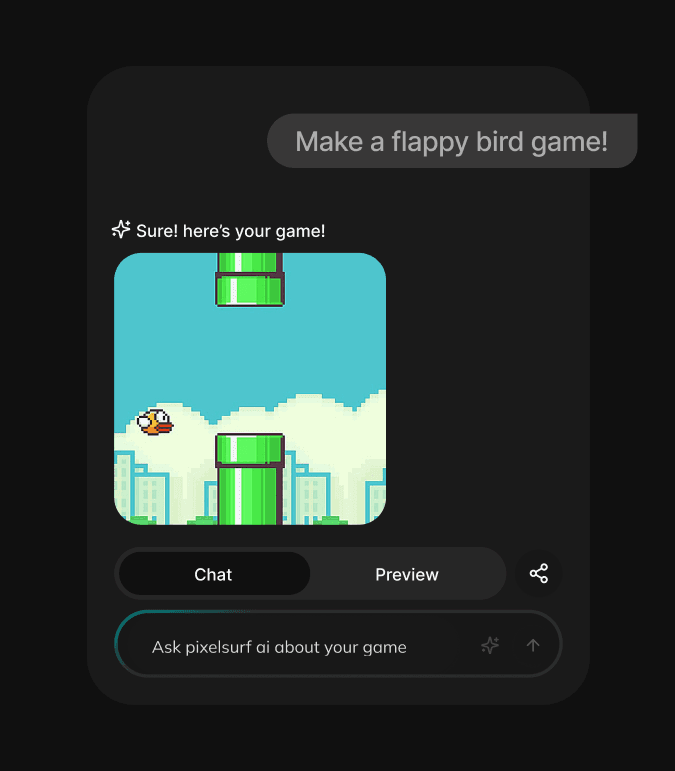
Describe your dream game in a sentence. PixelSurf turns it into ready to test game templates in minutes.
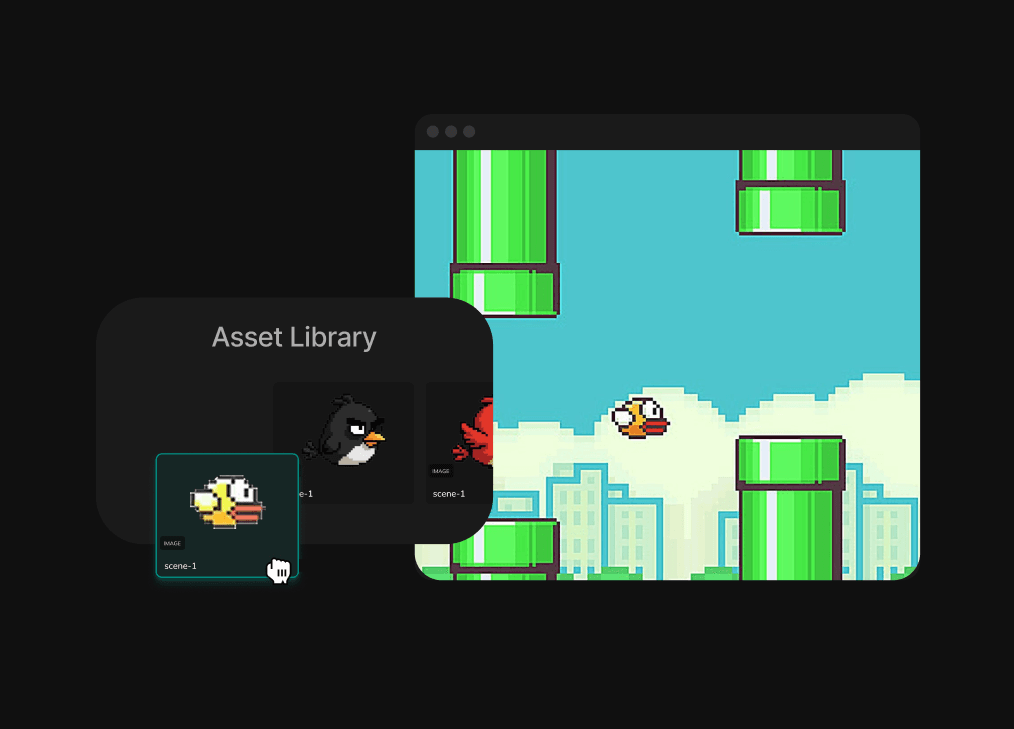
Drag, drop, and adjust mechanics inside the browser. Remix versions, swap art, and fine tune until it feels right.
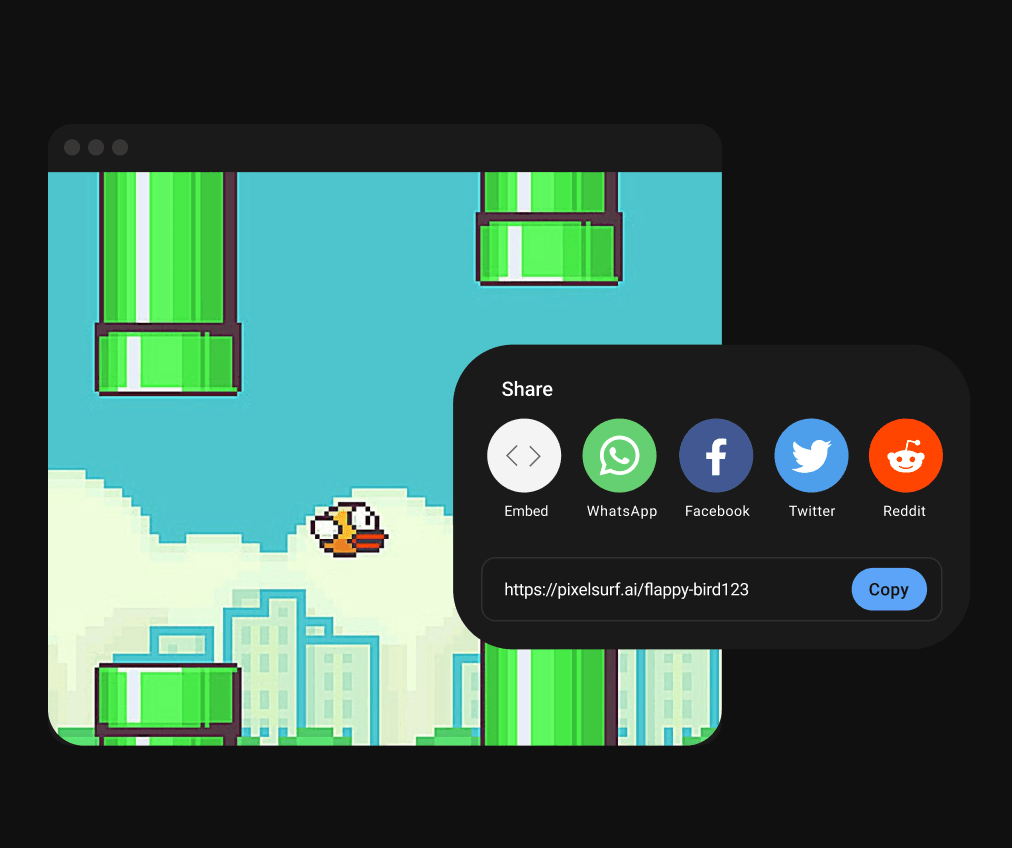
Turn your game into content. Share with your audience, collect feedback, and keep iterating on the same live link.
From prompt to publish in minutes. PixelSurf automates the complexity so you can focus on creativity.
Turn your game idea into playable reality. Our AI writes the logic, designs the world, and gets it running in seconds.
Get playable prototypes in minutes — perfect for testing, tweaking, and showing off fast.
Fine-tune your game with a asset editor that updates in real time.
Publish to the web or mobile in one tap. No builds, no servers, no stress.
Build platformers, puzzles, RPGs, and more — customized to your style with genre specific templates!
Export to any platform instantly - own your creation, everywhere.